
School timetabling and daily operations, in one place
SAVA Timetabling is the operational layer for day-to-day academic management that complements your MIS. Build timetables, detect conflicts and manage staff absences, cover, rooms and daily changes.
School operations shouldn’t depend on spreadsheets, emails and manual work
- Timetables built and maintained in spreadsheets.
- Staff absences managed by hand, first thing in the morning.
- Cover communicated through emails and messages.
- Teacher and room clashes that only show up on the day.
- Different people working with different versions of the timetable.
- Changes that are hard to coordinate during the school day.
SAVA Timetabling brings these daily operations together in one place.
Your MIS stores the academic data. SAVA Timetabling manages the daily operation around it.
SAVA Timetabling does not replace your MIS. It is designed as a complementary operational layer: the MIS remains the record of students, staff and academic data, and it handles the timetable and the day-to-day work that depends on it. Data imports and MIS integrations may come as the product evolves.
One absence, covered from start to finish
A teacher calls in sick: record the absence, see every lesson to cover, choose who is free and save. Recorded in real time, with a sample school.
Three areas, one place
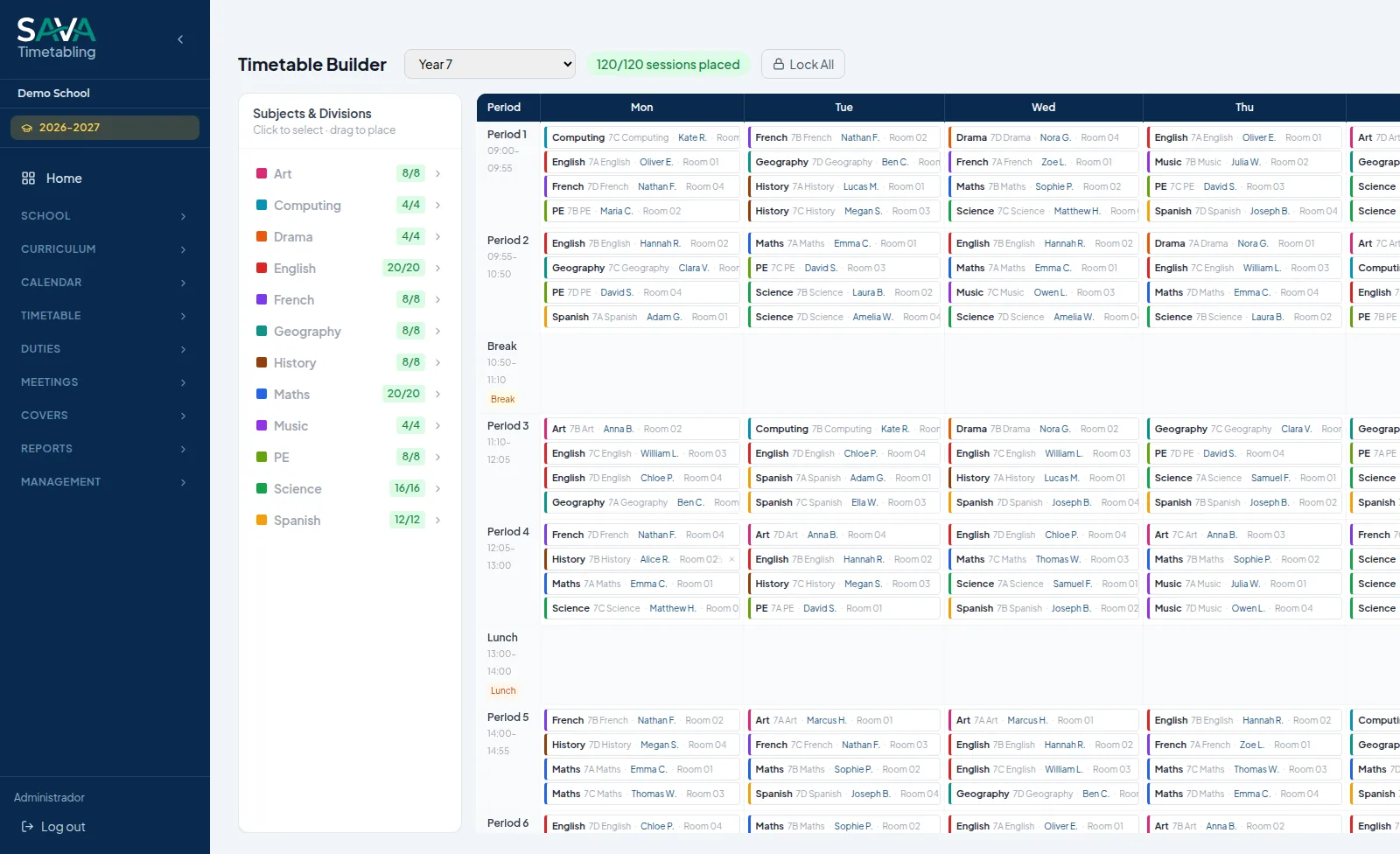
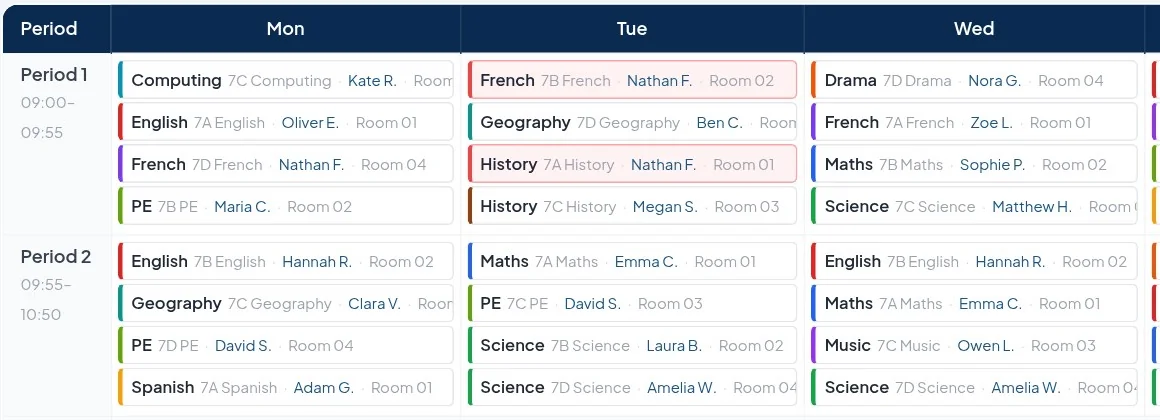
Timetabling
Build the timetable by hand, generate it automatically, or both, with every conflict visible as you work.
- Drag-and-drop timetable builder
- Live detection of teacher and room clashes, unavailability and over-allocation
- Staff, room and subject availability as constraints
- Automatic timetable generation
- Teachers, subjects, rooms, periods and breaks for each year group
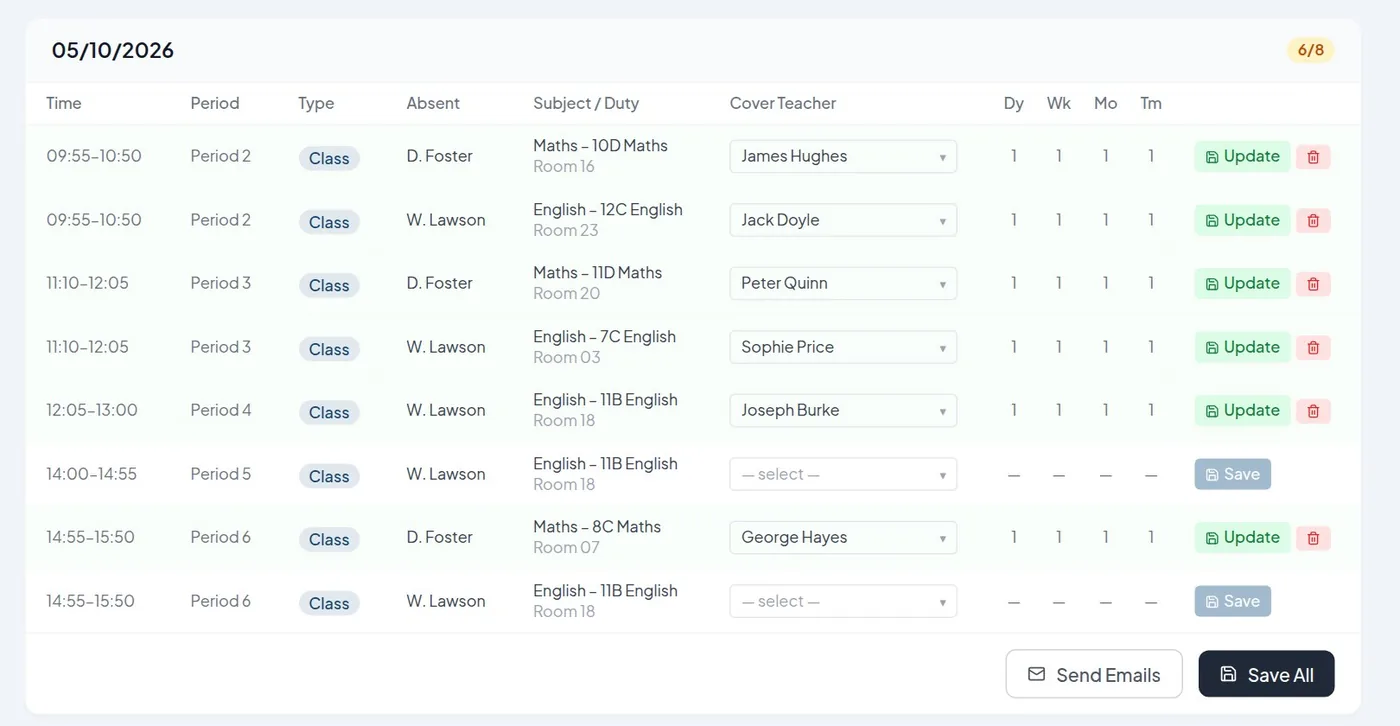
Daily operations
When someone is absent, see every lesson that needs cover and assign it in minutes.
- Staff absences, by day or by time
- Cover assignment, with each teacher’s cover load (day, week, month, term)
- Email notifications to the covering teacher
- Daily cover report and cover summary reports
- Duties, meetings and free teachers at a glance
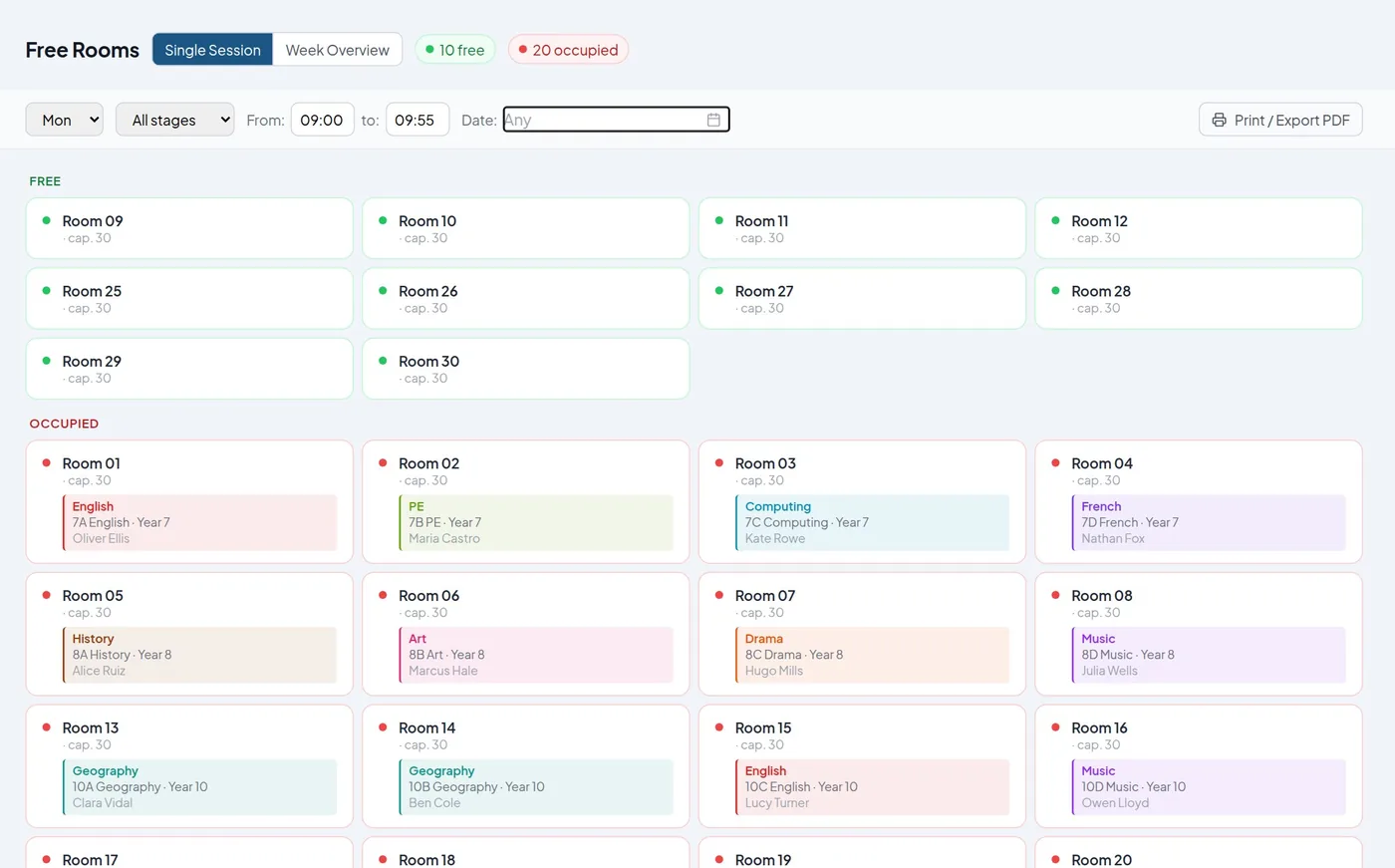
Rooms & resources
Know which rooms are free, which are booked and why, for any period of the week.
- Free and occupied rooms for any period, or across the whole week
- Room booking requests with approval
- Room availability blocks that the timetable respects
- Allowed rooms for each class
- Warnings when a room is double-booked
Built for real schools
Every school works differently. SAVA Timetabling is designed to adapt to the school, not the other way around.
- Configurable stages, year groups and school day
- Different periods and breaks for each year group
- Your own subjects, rooms, sites and room types
- Roles and permissions for each user
- Multiple academic years, with roll over
- Rules for the generator set to suit your school
From constraints to a working timetable
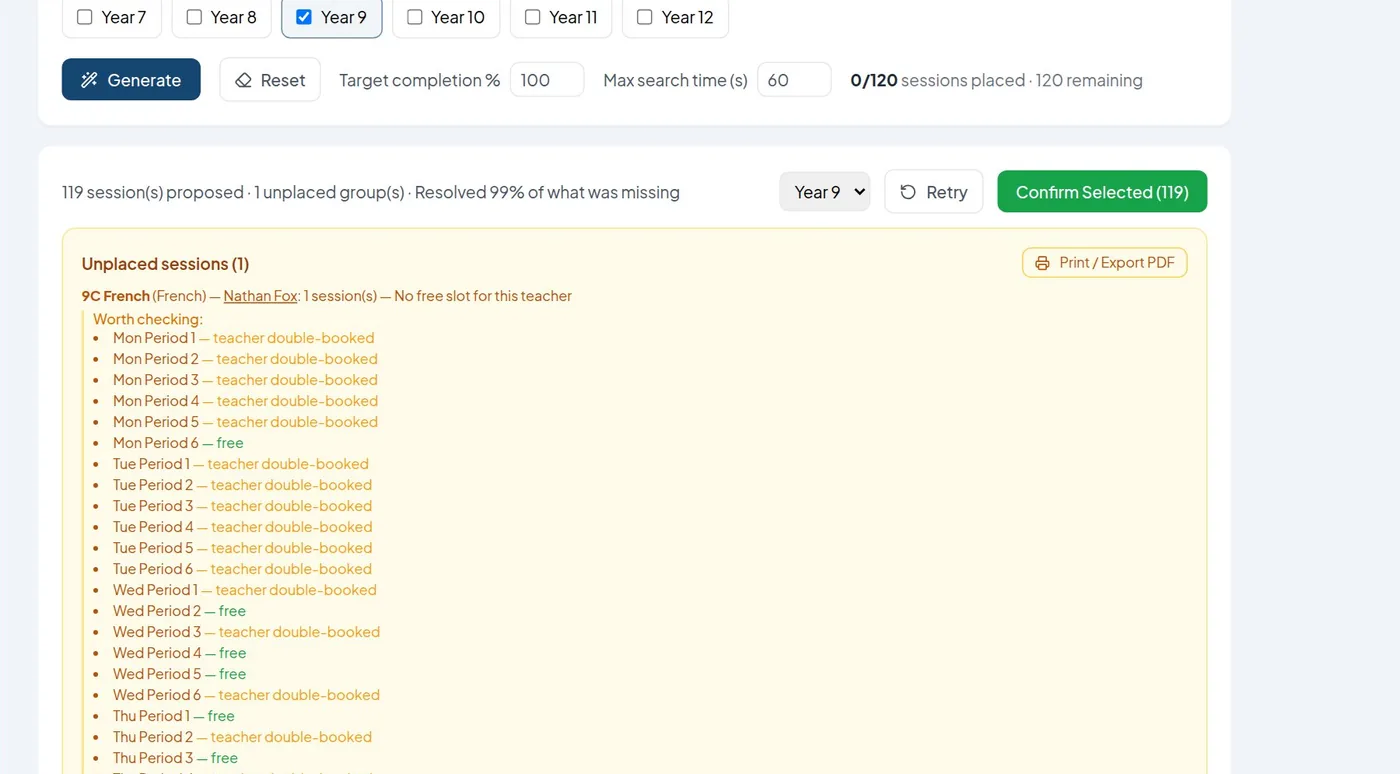
The generator does much of the heavy lifting, but you stay in control: nothing is saved until you review and confirm it.
- Configure teachers, subjects, rooms and periods.
- Define restrictions and constraints, as strict or flexible rules.
- Generate the timetable for the year groups you choose.
- It proposes a working solution.
- Review what could not be placed: it explains why and where it could go.
- Fine-tune by hand in the timetable builder.
It won’t always find a perfect timetable, because real constraints often make that impossible. What it does is tell you exactly what is left and why.
Secure by design, without overstatement
Encrypted access
HTTPS on every connection.
Two-factor authentication
Mandatory for every user, with account lockout after repeated failed attempts.
Role-based access
Each user sees and changes only what their role allows; sessions can be revoked remotely.
Separate environments
Each school runs on its own isolated server, never shared with another school.
EU hosting and encrypted backups
Servers in the European Union and encrypted daily backups, with an off-site copy.
Controlled updates
New versions are released deliberately, only after passing automated tests.
GDPR
SAVA Timetabling is designed to make GDPR compliance straightforward for the school.
- The school remains the data controller; SAVA EdSystems acts as data processor.
- A data processing agreement (Art. 28 GDPR) with each school, including the security measures and the list of sub-processors.
- No student personal data: SAVA Timetabling works with year groups and classes, not individual students.
- Only the staff data needed to run the timetable: name, email, timetable, absences and cover.
- Hosted in the European Union, on a separate server for each school.
- Templates to help the school inform its staff and keep its record of processing activities.
Built by people who understand schools
SAVA Timetabling is built by a team with more than 20 years of experience in education and school systems, combining software development, school operations and hands-on timetabling.
It was born from the real problems of a school’s day-to-day, not from a theoretical idea.
See SAVA Timetabling working with a realistic school scenario
We’ll show you how it builds a timetable, detects conflicts and manages a staff absence from start to finish.
Or write to us at info@savaedsystems.com